

Blog

Why Apps
Get Rejected by the App Store and Google Play (and How to Avoid It)
BY: NEURALSCHEMA INFOTECH TEAM ▦ 13 Nov 2026 Introduction
You have built the app, tested it and
Introduction
You have built the app, tested it and booked the launch campaign. Then the store review comes back: rejected. For a business, that means a missed launch date, a paused ad budget and a mobile app development team rushing fixes.
Rejection is far more common than most people expect. The good news is that most app store rejection reasons are predictable, and almost all can be avoided with the right preparation. This guide from our mobile app development company in Chennai explains why apps get rejected on Apple’s App Store and Google Play in 2026, what each store checks, and a checklist to run before you submit.
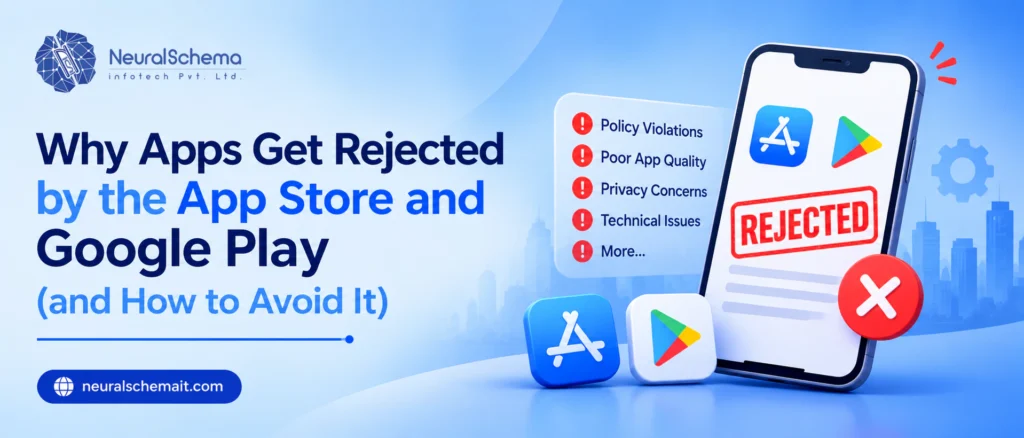
Quick answer: the most common app store rejection reasons in 2026 are:
Crashes, bugs or unfinished features found during review
Missing privacy details, including no in-app account deletion or no consent before data goes to third-party AI
Screenshots and descriptions that do not match the app
Apps that are just a website in a wrapper
Outdated build tools: Xcode below 26, Android target below API level 36, or an old Play Billing Library
On Google Play, a new personal account that has not completed the 12-tester, 14-day closed test
How often do apps get rejected?
Apple publishes yearly figures. In its 2025 App Store Transparency Report, Apple reviewed 9,100,620 app submissions and rejected 2,093,244 of them, roughly 23%. A submission can be rejected under more than one guideline, so the categories below overlap. Performance problems alone appeared in about 65% of rejected submissions.
| Guideline section | Submissions rejected (2025) | What it covers |
|---|---|---|
| Performance | 1,354,418 | Crashes, bugs, incomplete apps, inaccurate metadata |
| Legal | 495,673 | Privacy, data collection, intellectual property |
| Design | 415,532 | Copycat apps, minimum functionality, spam |
| Business | 283,820 | Payments, in-app purchase rules |
| Safety | 151,159 | Objectionable content, user safety |
Apple’s May 2026 announcement adds that more than 443,000 submissions were rejected for privacy violations in 2025. Google does not publish comparable numbers, but its policy and technical requirements block many first submissions too.
The most common App Store rejection reasons
Apple’s App Review Guidelines are the rulebook. These are the areas that catch business apps most often.
Crashes, bugs and unfinished features
Performance is the largest rejection category by a wide margin. Reviewers install the app on a real device and try to use it. A crash on launch, a button that does nothing, “coming soon” screens or placeholder text are enough for a rejection.
Fix: test release builds, not debug builds, on several real devices and OS versions. If the app needs a login, give reviewers a working demo account in App Store Connect, with sample data already loaded.
Screenshots and descriptions that do not match the app
Your store listing must reflect what the app actually does. Screenshots showing features that are not in the build, or descriptions that promise more than the app delivers, lead to metadata rejections.
Fix: take screenshots from the exact build you submit, update them whenever the interface changes, and describe only features a reviewer can find. If a feature needs special setup or hardware, explain how to reach it in the App Review notes.
Too little functionality, or a website in an app wrapper
Apple’s Design category includes apps with minimum functionality, copycats and spam. A common case is an app that simply loads the company website. If your app offers nothing a mobile site cannot, Apple may reject it. Our guide on whether to build a website or an app first helps you decide whether an app is the right next step.
Fix: give the app clear native value, such as push notifications, offline access, device features, saved preferences or faster repeat tasks.
Privacy gaps
- A privacy policy link in the app and the store listing.
- Clear permission messages that explain why you need the camera, location or contacts.
- Accurate App Privacy details in App Store Connect, including data collected by third-party SDKs.
- Required privacy manifests and approved-reason declarations for SDKs and APIs that need them.
- In-app account deletion. Under Guideline 5.1.1(v), apps that let users create an account must also let them start deleting that account inside the app. Apple explains what counts on its account deletion help page. A link to “email us” is often not enough.
Sharing personal data with third-party AI
Since November 2025, Guideline 5.1.2(i) says apps must clearly disclose where personal data will be shared with third parties, including third-party AI, and get the user’s explicit permission first. If your app sends chat messages, photos, voice or documents to an outside AI provider, a line in the privacy policy is unlikely to be enough.
Fix: show an in-app consent screen that names the AI provider and the data sent, leave the opt-in unticked by default, and make sure no data reaches the AI service until the user agrees. Mention the provider in your privacy policy and App Privacy details too.
Payment rule violations
Digital content and subscriptions used inside the app generally need Apple’s in-app purchase system. Physical goods and real-world services, such as food delivery or a doctor’s appointment, can use other payment gateways. Rules vary by region and change often, so confirm against the current guidelines before you design the checkout.
Fix: list every paid feature at the start of the project and decide, for each one, whether Apple treats it as digital content or a real-world service.
Outdated build tools
Since 28 April 2026, apps uploaded to App Store Connect must be built with Xcode 26 or later using the iOS 26 SDK, according to Apple’s upcoming requirements page. An older build server or CI pipeline will block the upload before review even starts.
The most common Google Play rejection reasons and launch blockers
Google Play’s review is usually less about design and more about policy declarations, permissions and technical requirements.
Target API level too low
From 31 August 2026, new apps and app updates must target Android 16 (API level 36) or higher. Existing apps that target below Android 15 (API level 35) stop being available to new users on newer Android devices. Google lists the details in its target API level requirements. Raising the target level can change app behaviour, so test thoroughly rather than just editing one line.
Old billing library or native code
If your app sells anything through Google Play, it must use Play Billing Library version 8 or later. Since 31 August 2026, Google Play has not accepted new apps or updates built on version 7 or older (see Google’s Play Billing Library deprecation information).
Apps that target Android 15 or higher must also support 16 KB memory page sizes, which has applied to new apps and updates since 1 November 2025. This mostly affects apps with native code, including many Flutter, React Native and game-engine apps, and SDKs that ship native libraries. Google’s 16 KB page size guide explains how to check and fix it.
Fix: update the billing library and native SDKs at the same time as the target API level, and test on a 16 KB Android emulator before release.
The closed testing rule for new personal accounts
This surprises many first-time publishers. If your personal Google Play developer account was created after 13 November 2023, you must run a closed test with at least 12 testers who have stayed opted in for 14 continuous days before you can apply for production access. Google explains it in its app testing requirements.
Fix: publish business apps from an organisation account, which needs a D-U-N-S number, or build the 14-day test into your launch plan from the start. Recruit more than 12 testers so a few dropping out does not reset the clock.
Google can also refuse production access if testers installed the app but barely used it. Ask testers to open the app regularly and send feedback, and release at least one update during the test.
Data safety form mismatches
Every app must complete the Data safety form in Play Console. If the form says you collect no location data but an SDK in your app does, that mismatch can lead to rejection or removal. Audit every third-party SDK, including analytics, ads and crash reporting, before filling it in.
Apps that allow account creation must also offer account deletion both inside the app and through a web link, as set out in Google’s account deletion requirements.
Sensitive permissions without a strong reason
Permissions such as SMS, call logs, all-files access and background location are restricted. Request them only when they are core to the app, and complete the permission declaration in Play Console with a short demo video where asked.
Store listing and content rating issues
Complete the content rating questionnaire honestly, avoid keyword-stuffed titles and descriptions, and do not use another company’s brand name or logo without permission.
Unregistered apps and developer verification
Google is now linking every Android app to a verified developer. Play Console developers are usually verified already and their apps registered automatically, but check the developer verification page in Play Console for any app that was not. Enforcement started on 30 September 2026 in Brazil, Indonesia, Singapore and Thailand, and Google plans to extend it worldwide from 2027 (Google’s developer verification overview).
What to do if your app is rejected
- Rejection is not the end. In 2025, 387,087 submissions were approved after an earlier rejection, according to Apple’s 2025 App Store Transparency Report.
- Read the message carefully. Both stores cite the guideline or policy you broke. Fix that, not what you guess the problem is.
- Reply or clarify where needed. In App Store Connect you can reply to App Review if you think the reviewer misunderstood a feature. A short screen recording often resolves it faster than a long explanation.
- Fix everything in one go. Check the rest of the checklist before resubmitting, so a second reviewer does not find a new problem.
- Appeal only when you are confident. Apple has an App Review Board and Google Play has an appeal process in Play Console. Use them when you believe the policy was applied incorrectly.
Build review time into your launch plan
Treat store approval as a project phase, not a formality. A realistic plan for a first launch includes compliance checks during development, two weeks of closed testing for new personal Google Play accounts, review time for each store, and a buffer for at least one resubmission. Never schedule paid launch campaigns for the day you submit.
Your choice of framework also affects this phase, because Flutter, React Native and native apps each handle SDK updates differently. Our comparison of Flutter vs native apps covers those trade-offs.
Frequently Asked Questions
Performance issues, which include crashes, bugs, incomplete features and inaccurate metadata. They were cited in more than 1.35 million rejected submissions in 2025.
If your personal developer account was created after 13 November 2023, you must first complete a closed test with at least 12 testers opted in for 14 continuous days, then apply for production access.
Apple often rejects apps that only display a website, under its minimum functionality rules. Add genuine app features or consider a mobile-friendly website instead.
Yes, if users can create an account. Apple requires deletion to be started inside the app, and Google Play requires both an in-app option and a web link.
Yes, but on the App Store you must tell users what personal data goes to the third-party AI service and get their explicit permission before sending it, under Guideline 5.1.2(i).
Launch on time by planning for review
Most rejections come from small things: a missing demo login, an outdated SDK, a privacy answer that does not match the code. Plan for them during development and store approval becomes a routine step instead of a launch-day crisis.
If you want a team that handles store compliance and publishing as part of the build, see our mobile app development service, or read how we delivered a hospital management mobile app from build to launch. Businesses in Chennai can also see our mobile app development company in Chennai page to plan a project with our local team.
Recent Posts
- Why Apps Get Rejected by the App Store and Google Play (and How to Avoid It)
- How to Choose an IT Company in Chennai: A 6-Point Checklist
- How to Find & Use Multimodal Search Data in GSC (Step-by-Step with Screenshots)
- Google Business Profile Post Views Are Back: What the Number Means for Your Business
- Website or Mobile App First A Practical Guide for Growing Businesses